
Disc image management utility
DAEMON Tools Lite is a free utility program for PC developed by Disc Soft Limited. It's a disc image management tool for mounting and loading disc image files. It allows users to access store content or emulate live versions of operating systems without the need to install anything.
Much like MagicDisc or Virtual CloneDrive, DAEMON Tools Lite supports multiple image file formats, including ISO and MDS. It also provides a one-time purchase license option for priority updates and multiple users, or creating a custom bundle, which can include the various other tools by the developer depending on their needs.
The ISO emulator we all need
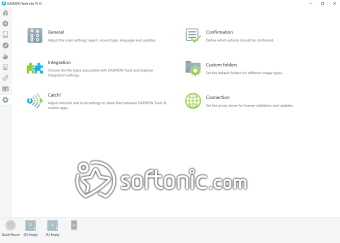
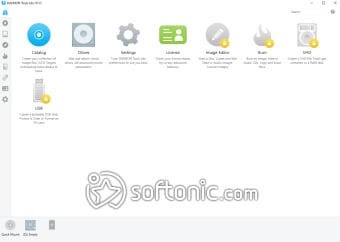
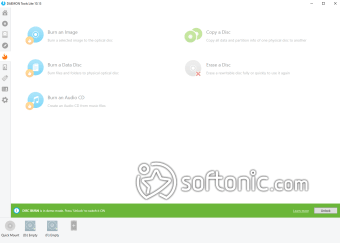
DAEMON Tools Lite stands out for its ability to emulate CD, DVD, and Blu-ray drives. You can mount multiple disk images simultaneously and access them as if they were physical disks. The software also allows the creation of ISO, MDS, MDF, and MDX images, making it easy to back up your disks. Its intuitive interface is designed for both beginners and experts, with clear options and easy navigation.
The application is lightweight and fast, allowing for quick mounting and unmounting of images. Despite its compact size, it efficiently handles large disk images, providing immediate response times.
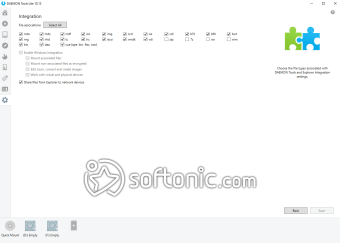
DAEMON Tools Lite seamlessly integrates with Windows, appearing in the context menu, making it easy to mount images with just a right-click. Additionally, the application can be integrated with other disk editing and burning software, further expanding its functionality. User-friendliness is one of the greatest strengths of DAEMON Tools Lite. Despite its wide range of tools, the application feels accessible and simple, thanks to its clean and well-organized design. Users often praise its ability to perform complex tasks with just a few clicks.
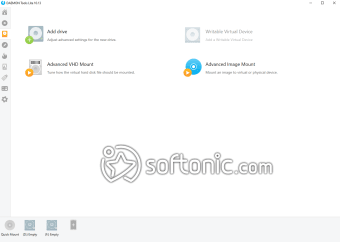
This utility boasts a clean and intuitive user interface to facilitate all kinds of user needs. It can emulate up to four DTs combined with a SCSI setup and multiple HDD devices, all at once, giving you the flexibility for different productivity tasks. Aside from being able to load up various file formats, you can also create your own disc images, whether derived from optimate media or other sources.
Flexible and customizable
DAEMON Tools Lite offers a free version that covers most basic mounting and image creation needs. However, there are premium options with additional features, such as the ability to mount VHD and TrueCrypt images and access to more simultaneous drive emulations. The software is available for Windows in various versions to suit different editions of the operating system. While it does not have specific accessibility features, its clear design and legible fonts make it suitable for most users.
While there are other image mounting tools on the market, such as PowerISO and UltraISO, DAEMON Tools Lite stands out for its rich history, reliability, and focus on user-friendliness. These competitors may offer similar features, but DAEMON Tools Lite is often the preferred choice for those looking for a free and reliable solution.
Our virtual disks, wherever we need them
DAEMON Tools Lite has proven to be an essential tool for users looking for a reliable and efficient solution to mount and create disk images. Its strength lies in its simplicity, performance, and wide range of features. A highly recommended app for those looking for a robust and easy-to-use tool. DAEMON Tools Lite is an excellent choice.
Frequently Asked Questions:
- Is DAEMON Tools Lite compatible with all versions of Windows? Yes, it is compatible with most modern versions of Windows, including Windows 10.
- Is it safe to use DAEMON Tools Lite? Absolutely, as long as you download it from official or trusted sources.
- Can I mount game images with DAEMON Tools Lite? Yes, the software can mount game images, allowing you to run them as if you had the physical disc.